
Freelancing is supposed to mean freedom. But most freelancers don’t lose their week to client work — they lose it to admin:
chasing briefs and approvals
writing proposals and follow-ups
scheduling calls
preparing invoices
cleaning time entries
updating clients
finding files and re-explaining context
Even time tracking — the thing that protects your income — becomes “one more task” you do late at night.
The good news: in 2026, AI agents are making it realistic to automate a big portion of this work, without turning your business into a complicated tech project.
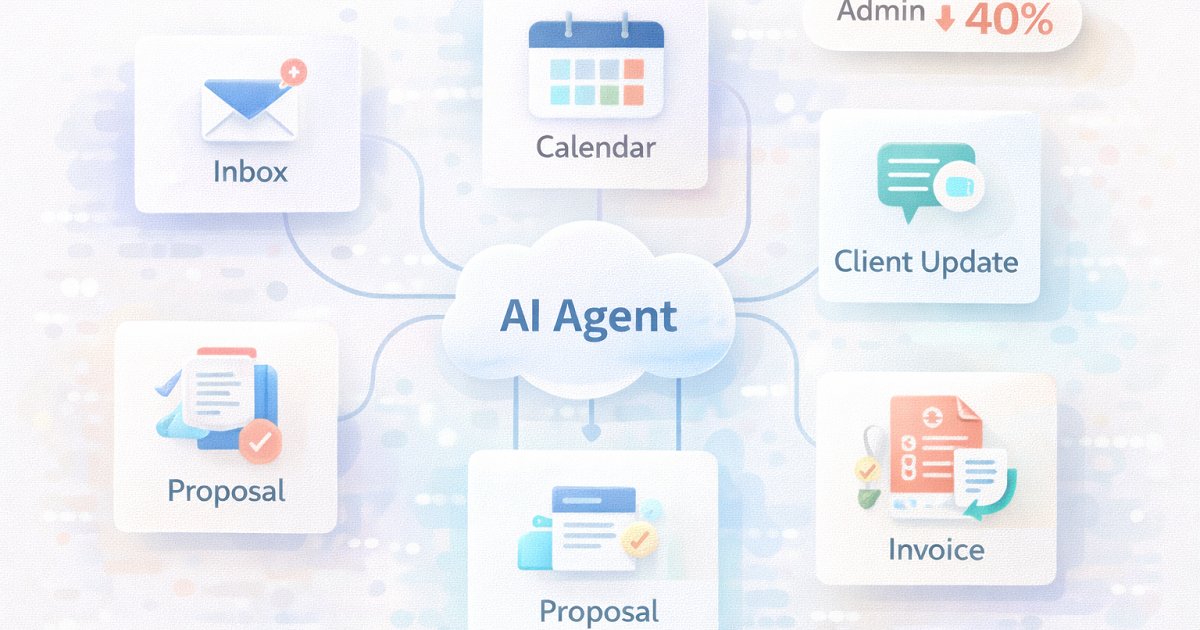
If you do this properly, it’s common to reclaim 20–40% of admin time by automating the first draft, first pass, and routine coordination steps (while you stay in control of approvals and decisions). The “40%” benchmark is realistic because research shows large gains for common knowledge-work tasks like writing: one controlled study found access to ChatGPT reduced task time by 40% and improved quality by 18% for professional writing tasks.
And admin time adds up. One widely cited freelancer time-use report found many freelancers spend meaningful time on non-billable admin/accounting (often several hours per week).
This guide shows:
what “AI agents” are (in plain terms),
which freelance admin tasks are best to automate,
a practical “agent setup” you can copy,
and how to connect it to time tracking + invoicing (where the money is).
What is an AI agent (and how it differs from a chatbot)?
A chatbot answers. An AI agent acts.
An AI agent is a software component that can plan and execute steps on your behalf — usually by using tools like email, calendar, docs, or your apps — to complete a task.
Think: “I want to get paid faster” → the agent prepares invoice drafts, pulls your tracked hours, writes line items, and creates a client-ready email — you approve and send.
Important: there’s a lot of “agent hype” and even Gartner has warned many agentic projects get scrapped when outcomes aren’t clear.
So the winning approach as a freelancer is not “build a super-agent.” It’s: automate small repeatable workflows that deliver obvious ROI.
Why freelancers should automate admin first (not client delivery)
Client delivery is the part you’re paid for — and it often needs your judgment.
Admin work is different:
repetitive
predictable
easy to standardize
low leverage
and usually non-billable
That makes it the perfect place for automation.
Even a modest improvement creates real gains. For example:
If admin is ~6 hours/week and you automate 40%, that’s ~2.4 hours back weekly.
That time can go into billable work, marketing, learning, or simply rest.
The 6 admin workflows most freelancers can automate (today)
These are the areas where AI agents consistently perform well because the work is structured and repeatable.
1) Inbox triage + smart replies (with your rules)
Agent job: classify messages into buckets:
urgent client issues
approvals needed
scheduling
invoice/payment
low priority
Then draft replies in your voice.
You approve: any client-facing response.
Why this matters: your inbox becomes a queue of decisions, not a sinkhole.
2) Scheduling without back-and-forth
Agent job: propose 3 time slots, confirm time zone, create the calendar event, attach agenda, send recap.
You approve: the final send (or allow auto-send only for pre-approved clients).
3) Proposals, SOWs, and follow-ups (first draft automation)
Agent job: generate:
proposal outline
scope + assumptions
timeline + milestones
“what’s included vs not included”
follow-up email sequence
This is exactly where research-backed writing productivity gains are strongest.
You approve: pricing and commitments.
4) “Client updates” that take 2 minutes, not 20
Agent job: every Friday:
summarize what shipped
list blockers
confirm next week plan
ask 1–2 key questions
You approve: send.
This reduces churn and scope creep because clients stay aligned.
5) Invoicing support (draft, don’t send)
Agent job: create an invoice draft from:
tracked billable hours
project/task notes
agreed rates
contract rules (billable vs non-billable)
Then generate:
line items clients understand
a short invoice email
reminders schedule
You approve: the invoice + email.
This improves cash flow because billing becomes consistent instead of “whenever I remember.”
6) Weekly “time audit” + pricing insights
Agent job: produce a weekly summary:
billable vs non-billable split
biggest non-billable leak (meetings, comms, revisions, admin)
estimate vs actual warnings
“top 3 actions” to protect margin next week
This is where time tracking becomes a business tool instead of a chore.
The freelancer AI agent stack (simple and effective)
A good setup uses 3 layers:
Layer 1: Your source of truth
Projects, tasks, notes, time entries, billable/non-billable
Asrify is ideal here because time entries + project context unlock better automation (cleaner invoices, clearer reporting).
Layer 2: Your tools
Email + calendar
Docs/templates (proposal, onboarding, update format)
Invoicing/accounting system
Layer 3: Your agents (small, specialized)
Instead of one giant agent, use three:
Inbox Agent → triage + reply drafts
Ops Agent → scheduling + client updates
Billing Agent → time → invoice drafts + reminders
This approach keeps outcomes clear and reduces risk (also aligns with “avoid hype, focus on measurable outcomes” guidance around agents).
A practical 7-day implementation plan
Day 1: Define your automation rules (15 minutes)
Write 10 rules like:
“Never send emails automatically to new clients.”
“Invoices must be drafted weekly.”
“Client comms over 20 minutes/day gets flagged.”
Day 2: Standardize 3 templates
proposal structure
weekly client update
invoice email
Day 3: Turn on the Inbox Agent
Start with triage + draft replies only.
Day 4: Add scheduling automation
Agent proposes slots, creates events, drafts confirmations.
Day 5: Connect time tracking to billing
Make sure you track:
client
project
billable/non-billable
short notes (deliverable-based)
Day 6: Add the Billing Agent
Draft invoice line items from time entries (no sending).
Day 7: Add weekly time audit
One report that tells you where profit leaks are happening.
Guardrails: how to automate safely (and keep trust)
AI agents are powerful, but freelancers should treat them like junior ops assistants:
Human approval for anything client-facing (until you trust the workflow)
No silent changes to invoices or rates
Log every automated action (what it did, when, based on what)
Privacy-first defaults (client data is sensitive; be careful with where it’s processed)
Keep “billable rules” in writing so the agent doesn’t guess
If you work with EU clients, you’ll also want to think about GDPR implications when processing client data with AI tooling (data minimization, retention, and vendor compliance). (General compliance note, not legal advice.)
Where Asrify fits (and why it matters for agents)
AI agents are only as good as your data.
If your time tracking is inconsistent, your billing agent will produce messy invoices. If your work isn’t tied to projects/tasks, your weekly report will be vague.
Asrify makes agent automation easier because it gives you structured inputs:
projects + time entries
billable vs non-billable classification
notes that map to deliverables
reporting for profitability and scope creep signals
That’s how you turn “AI productivity” into measurable outcomes:
faster invoicing
fewer missed hours
clearer client communication
better estimates
better margins
Bottom Line
AI agents aren’t about replacing your work. They’re about removing the drag that stops you from doing your best work.
Start with admin, not delivery:
inbox triage
scheduling
proposals (first drafts)
weekly updates
invoice drafts from time tracking
weekly time audits
With the right guardrails, many freelancers can reclaim a meaningful chunk of admin time — and the research-backed improvements in writing-heavy tasks show why “~40% faster” workflows are realistic in the right areas.
If you want one place to start: track time cleanly in Asrify, then let a billing agent turn it into invoice drafts every week. That’s the fastest path from “busy” to “paid.”


