
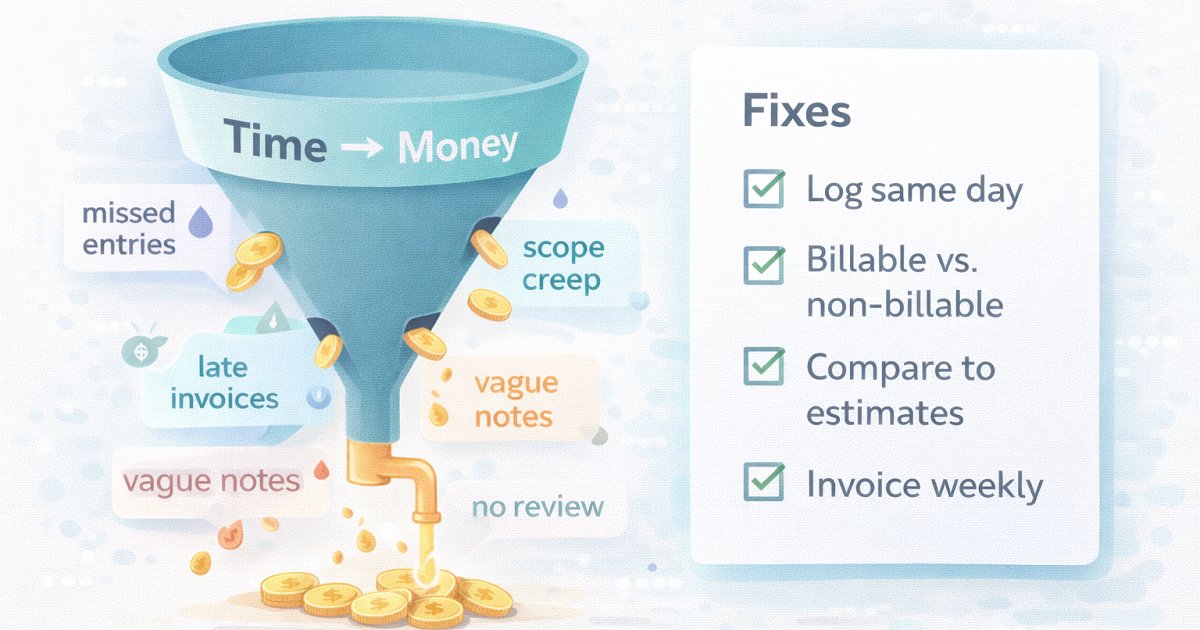
Time tracking doesn’t “make you money” by itself. But bad time tracking quietly drains revenue through missed billable work, late invoices, scope creep, and broken estimates.
The pattern is consistent across service businesses: when time entries are late, incomplete, or inconsistent, you risk under-billing (lost revenue) or over-billing (disputes and churn). And when time data is scattered across spreadsheets or submitted late, it slows billing cycles and leaves revenue on the table.
Here are the 7 most common time tracking mistakes—and exactly how to fix them.
1) Tracking from memory at the end of the day (or week)
What it looks like
“I’ll fill it in later.”
Timesheets get completed Friday afternoon with rough guesses.
Why it costs money
Manual tracking is prone to human error—people forget, rush entries, and miss context switches. That usually means missing small but billable work (messages, quick fixes, short calls) and undercharging.
Fix
Track in real time (timer) or in short “checkpoints” (e.g., 3 minutes after each task).
Make “same-day logging” the rule: yesterday’s time gets reviewed today.
Asrify tip
Create a simple daily habit: log time → add 5–10 words of context → mark billable/non-billable. Context is what protects you from disputes later.
2) Misclassifying billable vs non-billable work
What it looks like
Everything gets dumped into “Admin” or “Misc.”
You bill only “hands-on delivery,” while other client work disappears.
Why it costs money
Billable time is generally time spent working on a client’s project, while non-billable is overhead (admin, internal ops, training).
If you misclassify (or skip classification entirely), you can’t see profitability clearly—and you’ll often under-bill.
Fix
Define your billable rules in writing (in your contract or SOW).
Use clear categories (examples: Delivery, Client Comms, Meetings, Revisions, Support, Admin).
Asrify tip
Make billable/non-billable a required field, then review a weekly report to spot “invisible time” that should be billed or packaged differently.
3) Not tracking client communication (the “invisible time” leak)
What it looks like
Emails, Slack, quick calls, “just one more thing” messages don’t get logged.
You only log “real work,” not the coordination around it.
Why it costs money
Client communication is essential but often not tracked—and many people don’t even consider it billable. That’s a direct leak, especially for consultants, agencies, and freelancers where communication can become a big share of the week.
Fix
Decide what gets billed: meetings, emails, async support, revisions.
If you don’t want to bill it hourly, package it (retainer support hours, communication cap, revision rounds).
Asrify tip
Create a “Client Comms” category and watch it weekly. If it spikes for a client, that’s your early signal to renegotiate scope or move them to a support plan.
4) Tracking time without budgets and estimates (so overruns are invisible)
What it looks like
You track hours, but you never compare them to an estimate or budget.
You only realize you went over when the project is basically done.
Why it costs money
When time isn’t matched against estimates, scope creep goes unchecked, overruns become invisible until it’s too late, and margins erode.
Fix
Every project gets an estimate (even a rough one).
Track “% budget used” weekly and trigger a change request before you blow the margin.
Asrify tip
Set a simple workflow: Estimate → Track → Weekly budget check → Change order if needed. This alone saves more profit than “better tracking habits.”
5) Using vague time entries that can’t be defended
What it looks like
“Work,” “Development,” “Meeting,” “Fixes”
No linkage to deliverables, tasks, or outcomes.
Why it costs money
Vague entries create two problems:
You can’t justify invoices (more disputes, slower payment).
You can’t learn from history (bad estimates repeat forever).
Fix
Use a simple format:
verb + object + deliverable
“Implement checkout webhook handling”
“QA + bugfix: invoice export”
“Client sync: scope + next steps”
Asrify tip
Require a short note for billable entries (even 8–12 words). It improves invoice clarity and makes future estimates dramatically easier.
6) Not reviewing your time data (so nothing improves)
What it looks like
You track time… and never look at reports.
You keep repeating the same underpriced projects.
Why it costs money
Time tracking is only valuable if it changes decisions:
pricing,
scope,
delivery process,
or workload.
Otherwise you’re just collecting data.
Fix
Do a weekly 15-minute review:
Top 3 projects by hours
Biggest non-billable bucket
Biggest estimate miss
Biggest “communication” client
One action to take (raise price, tighten scope, template a process)
Asrify tip
Build a weekly dashboard that answers: Where did time go? What was billable? What was profitable? What should change next week?
7) Letting invoicing lag behind time tracking
What it looks like
Time is logged (maybe), but invoices go out late.
You lose momentum and cash flow.
Why it costs money
When time data arrives late or sits in messy formats, invoicing gets delayed—creating billing lag and revenue leakage.
Fix
Same-week invoicing cadence (weekly or bi-weekly).
Tight cutoff: “Time must be approved by X day; invoice goes out on Y day.”
Asrify tip
Treat time like accounts receivable: log → approve → invoice. The faster that loop, the healthier your cash flow.
A simple “Stop losing money” checklist (copy/paste)
Log time same day (no weekly memory dumps).
Separate billable vs non-billable clearly.
Track client communication as its own category.
Compare hours to estimates/budgets weekly to stop scope creep early.
Write defensible time notes (deliverable-based).
Review reports weekly and make one pricing/scope/process decision.
Invoice on a fixed schedule to avoid billing delays.
Bottom Line
If your time tracking is messy, you don’t just lose “visibility”—you lose money through under-billing, late billing, and preventable overruns.
The win isn’t tracking more. The win is tracking cleanly enough that you can:
bill confidently,
catch scope creep early,
price based on reality,
and protect margins.
That’s exactly the kind of time data Asrify is built to support.


