If you’re a freelancer, you’ve probably had this moment:
You finish a project.
The client is happy.
You send the invoice.
Then you realize… you undercharged again.
Not because you’re bad at your craft. Not because you’re lazy. But because your time is harder to “feel” accurately than you think.
Humans are famously unreliable at estimating and recalling time spent—especially when work is fragmented across messages, meetings, revisions, admin, and “quick questions.” Research on work-time reporting finds meaningful gaps between self-reported time and more objective tracking methods, especially at the individual level.
Time tracking isn’t about turning freelancing into a factory job. It’s about protecting the one resource you can’t replace: your hours.
This guide will show you:
Why time tracking matters even for fixed-price work
How tracking prevents scope creep and pricing mistakes
A “no-drama” system to start—even if you hate timers
What to track (and what to ignore)
A workflow you can run inside Asrify (or any tool)
The real reason you hate time tracking
Let’s be honest: most freelancers don’t hate time tracking—they hate how time tracking feels.
Common reasons:
It breaks flow (“I forget to start the timer.”)
It feels like micromanagement (“I’m my own boss, why am I policing myself?”)
It reminds you of unpaid work (admin, emails, proposals…)
It feels pointless if you bill fixed-price
All valid.
But here’s the shift:
Time tracking isn’t a punishment. It’s a profit system.
You don’t track time to prove you’re working. You track time to:
stop donating hours,
price better,
set boundaries,
and make your income predictable.
What happens when you don’t track your time
1) You undercharge (and you won’t notice until it hurts)
When you don’t measure time, you price based on vibes, memory, and optimism.
That usually leads to:
“This should take 5 hours.” (It takes 11.)
“Small change.” (It becomes 18 Slack messages and 3 revisions.)
“Quick call.” (It becomes weekly meetings for 2 months.)
Even if you’re experienced, memory-based time estimates are shaky—self-reports of task duration are often only moderately correct at the individual level.
2) Scope creep becomes invisible
Scope creep is easiest to fight when it’s measurable.
If you can say:
“Revisions are taking 6 hours beyond the included scope,”
you can confidently propose a change order.
If you can’t measure it, you end up feeling resentful—and the client ends up confused.
3) You can’t improve your estimates
Your next quote is only as good as your past data.
Time tracking creates your personal “pricing database”:
Landing page design: average hours
Shopify setup: average hours
Bug-fix sprint: average hours
Content batch: average hours
Once you have that, quoting becomes calmer, faster, and more accurate.
4) You lose hours to non-billable work (and it adds up)
Freelancers don’t just work—they also run a business.
Admin, accounting, proposals, and client communication can eat a surprising amount of the week. Clockify’s reporting highlights that many freelancers spend several hours weekly on non-billable activities like administration and accounting.
Tracking doesn’t eliminate admin—but it helps you see it, reduce it, and price around it.
The benefits of time tracking (that actually matter)
1) More accurate invoices (and fewer awkward conversations)
When you have clean time entries per task/project, you can invoice with confidence:
“Discovery & planning — 2h 15m”
“Homepage layout — 3h 40m”
“Revisions round 1 — 1h 10m”
Even if you bill fixed-price, this helps you explain overruns and defend boundaries.
And in marketplaces where proof matters, tracking can be directly tied to payment protection. For example, Upwork’s hourly system emphasizes that tracked time (not manual time) is what qualifies for hourly protection, and the work diary exists to document activity.
(You don’t need screenshots in your own workflow—just the principle: documentation reduces disputes.)
2) Better rates without guessing
Most freelancers try to raise rates by confidence alone.
Time tracking lets you raise rates with evidence:
If a service takes longer than you thought, you can price it higher.
If a client type creates more overhead, you can charge for it.
If “quick calls” are killing focus, you can bundle them or bill them.
3) Cleaner boundaries (and less burnout)
Time tracking helps you spot patterns like:
too many late-night “small tasks”
meetings that don’t move work forward
clients who create 3× more comms
projects that are never profitable
Burnout often isn’t caused by work—it’s caused by work you didn’t plan for.
“But I don’t bill hourly.” Why track time anyway?
This is the biggest misconception in freelancing:
Fixed-price doesn’t mean time doesn’t matter.
It means time becomes your margin.
If you charge $1,000:
at 10 hours, that’s great.
at 25 hours, that’s stress.
at 40 hours, you basically gave yourself a pay cut.
Time tracking on fixed-price projects helps you:
protect your margins
learn what things really cost
standardize packages
stop repeating unprofitable offers
The simplest system to start (even if you hate timers)
You don’t need perfection. You need consistency.
Step 1: Track only 3 things for 7 days
For one week, track just these buckets:
Client work (billable)
Client communication (sometimes billable, often hidden)
Business/admin (non-billable)
That’s it.
No 20 categories. No guilt. Just visibility.
Step 2: Use “good enough” capture
Pick one method:
Live timer (best if you can remember)
Manual entries (best if you hate timers)
End-of-day reconstruction (best if you’re starting from zero)
Even imperfect tracking beats none—because memory-based estimates are unreliable, and time diaries / tracked records tend to be more accurate than recall.
Step 3: Add one line to every entry: “What did I produce?”
This is the game-changer.
Not “worked on website.”
Instead:
“Outlined section 1–3”
“Implemented checkout validation”
“Drafted 12 ad headlines”
“Reviewed feedback + applied changes”
This makes your time log useful for:
invoices
client updates
your own confidence
What to track (and how detailed it should be)
Track by client → project → task
A simple structure:
Client: Acme Co
Project: Website redesign
Tasks: discovery, design, revisions, QA
Billable vs non-billable: mark it explicitly
This protects your pricing.
You’ll learn quickly if you’re spending too much time on:
proposals
follow-ups
calls
context switching
“support” that isn’t priced
Don’t track micro-breaks
You’re not a robot.
Track in sensible chunks (5–15 minutes), then move on.
A practical weekly workflow (15 minutes, once a week)
Here’s the routine that makes time tracking pay off:
Every day (2 minutes)
Track time (however you prefer)
Add a short output note (“what I produced”)
Every Friday (10–15 minutes)
Answer these:
Which projects were profitable (time-wise)?
Which clients generated the most communication overhead?
What task took longer than expected (and why)?
What should I change next week?
raise price
tighten scope
reduce meetings
template something
timebox a process
This is where tracking turns into real leverage.
How Asrify fits (without turning your day into spreadsheets)
If you want time tracking to feel less like “another app,” the best setup is when time tracking connects to how you already work:
projects
tasks
deadlines
client work
reporting
That’s the point of using an all-in-one system like Asrify:
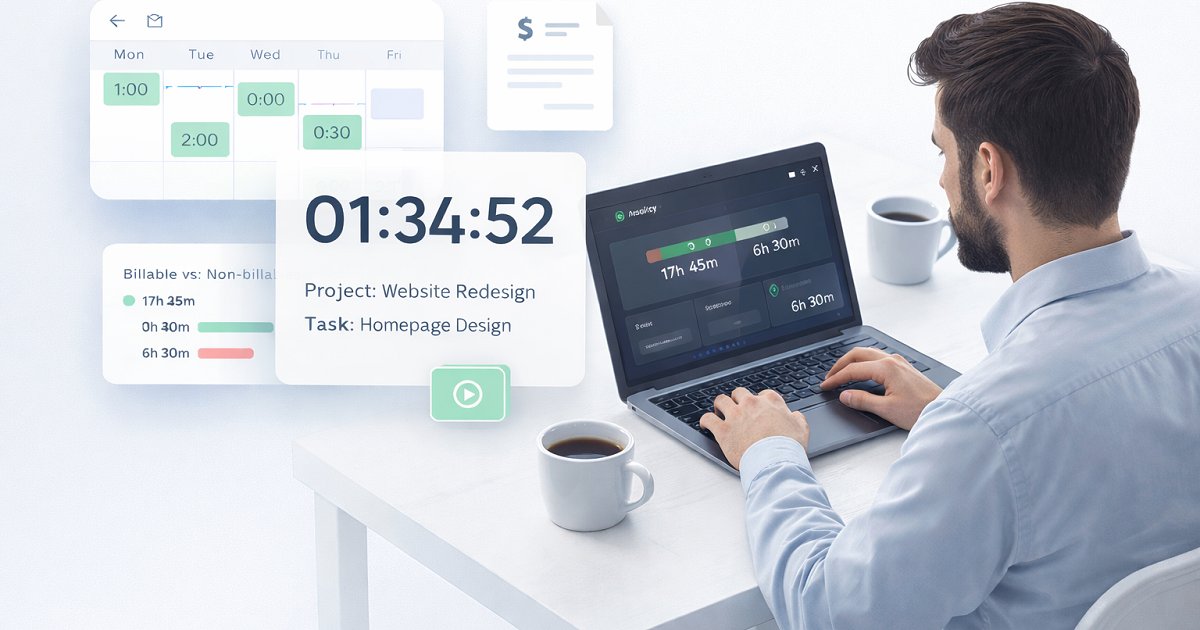
Track time per project/task (so your time entries aren’t floating in space)
Separate billable vs non-billable (so you can price correctly)
Use reports to see where your week actually went (so you can improve)
Keep work context attached (tasks + notes) so invoicing and client updates are faster
If you’re currently using one tool for time, another for tasks, and another for notes—time tracking will always feel heavier than it needs to.
Common freelancer time tracking mistakes (and how to avoid them)
Mistake 1: Tracking only when you remember
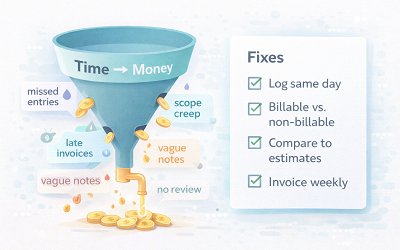
Fix: choose a trigger:
start of first task
after every call
end-of-day recap
Mistake 2: Tracking “client work” as one giant blob
Fix: always track one level deeper (task or deliverable).
Mistake 3: Ignoring communication time
Fix: track calls, Slack, email, “review feedback” as real work—because it is.
Mistake 4: Not using your data
Fix: do the Friday review. That’s where your rate increases come from.